Líquen Events. A website that brings in enquiries, and a back office to handle them.
Project information
- Sector
- Weddings and events
- Year
- 2026
- Services
- Deliverables
- PT/EN website, Quote request, Back office, Proposal studio, Proposal PDF, Calendar, Day-of run sheet, Seating plan
- Sector
- Weddings and events
- Year
- 2026
- Services
- Deliverables
- PT/EN website, Quote request, Back office, Proposal studio, Proposal PDF, Calendar, Day-of run sheet, Seating plan



We designed and built the Líquen Events website and the back office where the team handles every enquiry, from the proposal to the seating plan on the day.
A website in Portuguese and English, with a quote request form. A back office with a proposal studio, a calendar, day-of run sheets and seating plans. The same team designed and coded both.
Context
Where it started.
Líquen Events decorates and coordinates weddings, corporate events and private celebrations. According to its own website, it has organised more than 100 events since 2018.
Every event starts with an enquiry and ends in a room that's ready for guests. In between there's a proposal with photos and a price, dates in the calendar, a run sheet for the team and, for weddings, a seating plan. We built both ends: the website where the enquiry comes in, and the back office where it gets handled.
One record per event. Everything else starts there.
Website
The website.
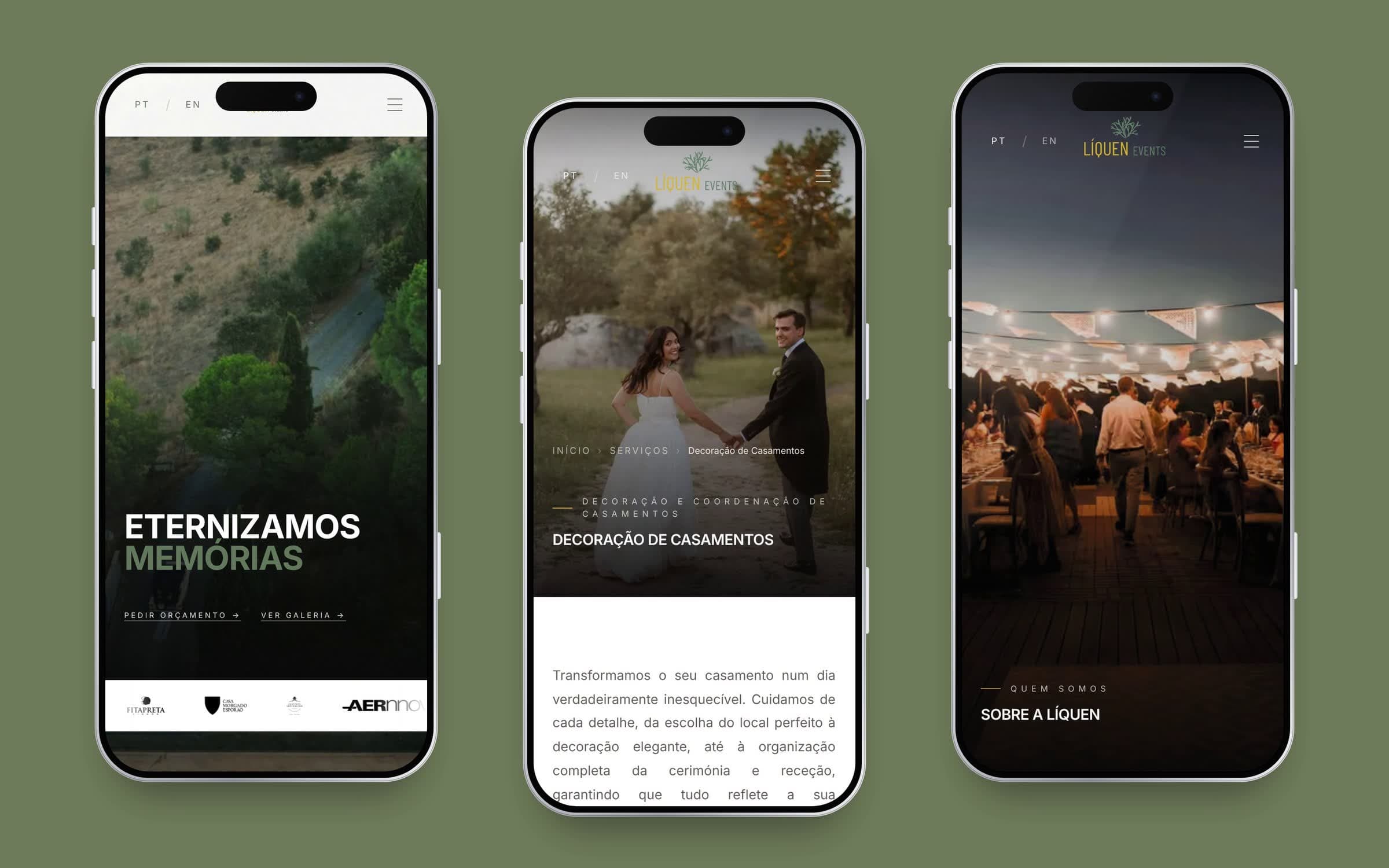
The website shows Líquen's work and always ends in the same place: the quote request. Whoever fills it in gets a confirmation email in the language they wrote in, and the team is notified.
It's in Portuguese and English, with the gallery of past events at its centre. The four clips below show it at phone width.
Back office
Four buttons on the phone.
The back office opens on the Overview: the next event, what's been won, the proposals waiting for an answer and the day's reminders.
On the phone, the bottom bar holds only the four places you go every day, in the order the work happens: see what's on, read what came in, write the proposal, check the ones that went out. Everything else lives in the drawer. That's a cost we accepted, because writing proposals is what brings in the work.
The Calendar is one of the places that moved into the drawer. It puts each enquiry's event alongside meetings, notes and blocked dates, and you can see it by day, week, month or the whole year.
The recordings in this case study use demo data, with couples like "Ana & Rui" and "Marta & Tiago". None of Líquen's clients appear here.
A proposal in five steps.
Writing a proposal takes five steps: Event, Services, Inspiration, Budget, and Review and send. They're a single form that stays loaded the whole time. Switching steps shows and hides sections, so nothing you've typed is lost when you jump back and forth.
Each step shows whether it's complete, unfinished or has an error. What blocks sending is decided by one rule in one place: the step bar, the list of what's missing and the send button all read it, and the server checks the errors again before anything goes out. An old copy of the studio, left open in another tab, can't get round it.
Before a proposal goes to the client, someone has to open the final PDF and confirm it's right. Líquen asked for that, and it costs one extra step every time.
The proposal the couple receives.
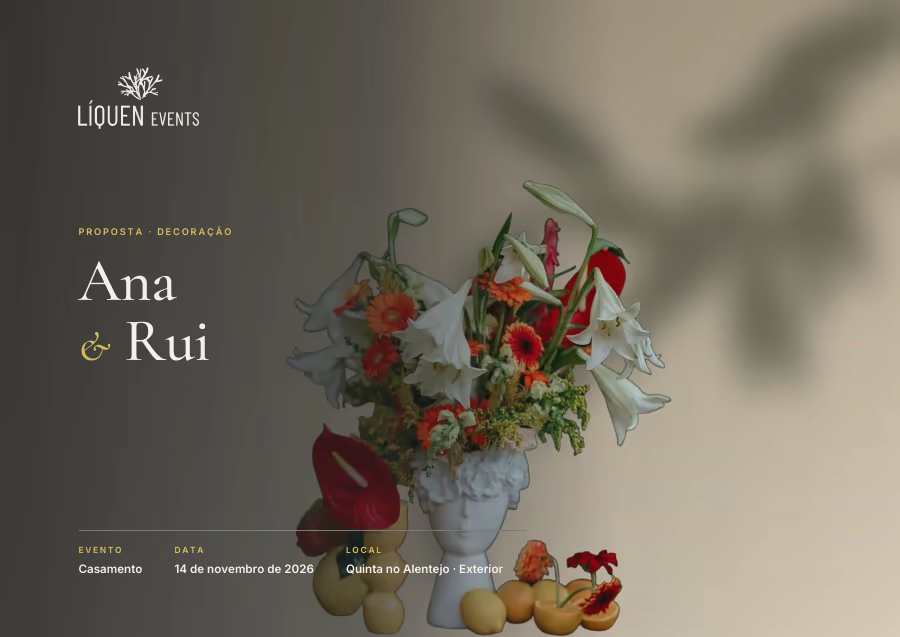
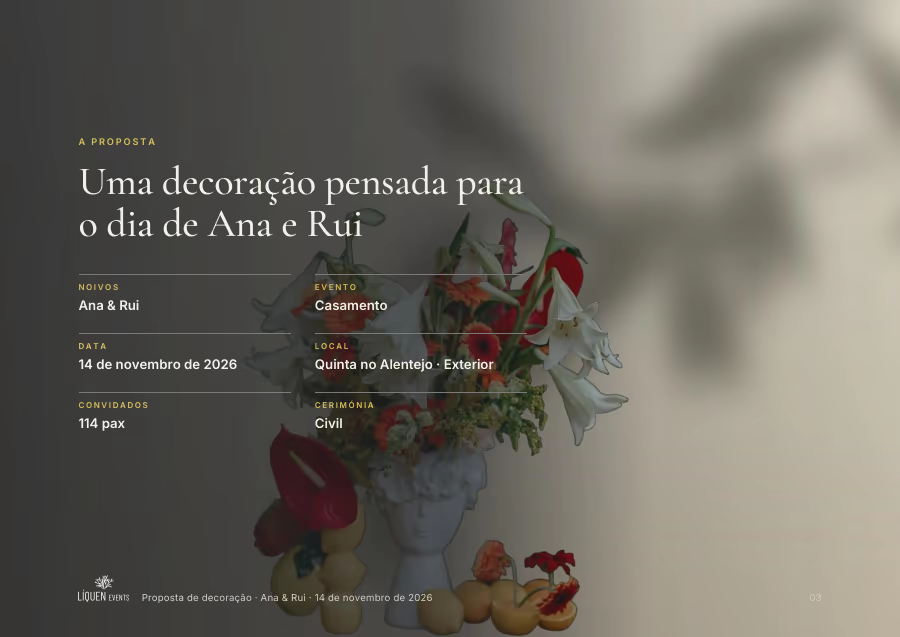
The proposal comes out as a dark, editorial PDF: cover, contents, the services, a colour palette taken from the photos, a chapter for each part of the day, the budget and the terms. It's the same document the studio downloads, the one that's sent, and the one the couple opens from their link. It can go out in Portuguese or English.
The studio counts pages using the same plan that draws the PDF, and a test ties the two together: the page count you see while writing is the page count you get.
Drawing a PDF with dozens of photos takes time. So the server turns down a proposal with errors before it starts drawing, not after.
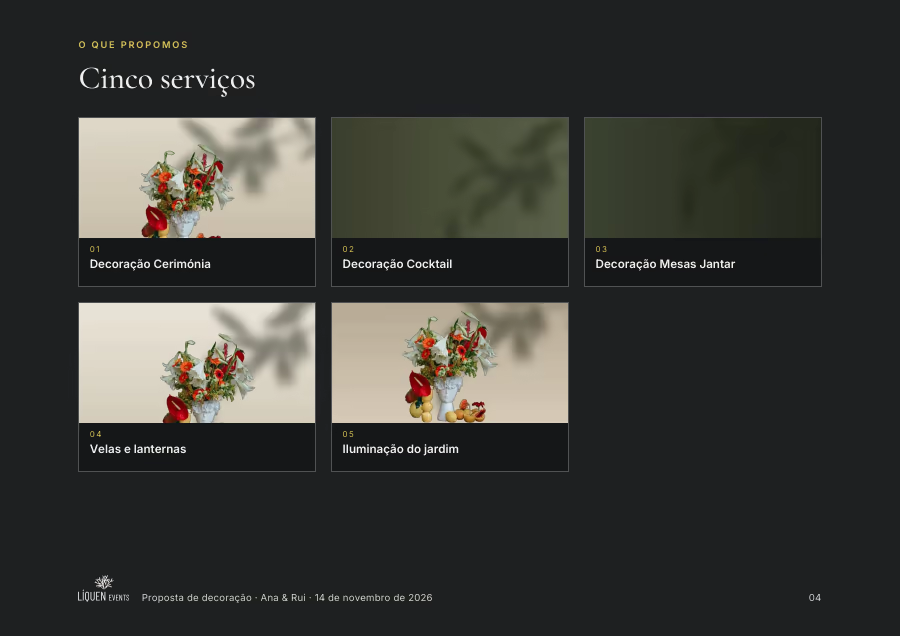
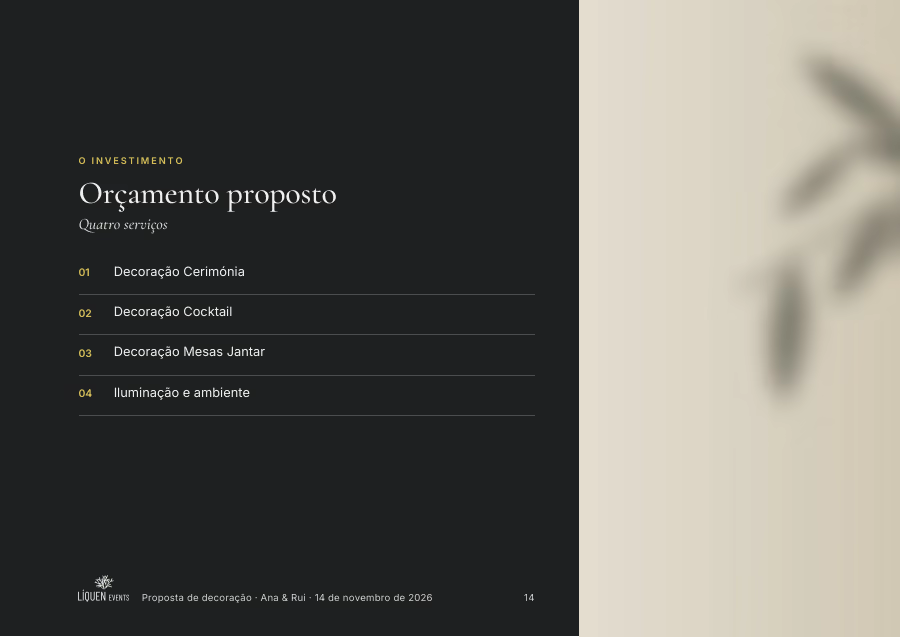
What's on screen is what goes out on paper to the team on the day.
The day of the event, on one sheet.
Every event has its own run sheet: the moments of the day, with time, place, who's responsible and notes. Next to whoever is writing it sits the sheet exactly as it will print, and the printed sheet, the PDF and the WhatsApp message all come from the same list.
There's a view with the run sheets for every upcoming event, so on a Monday you can see which ones are done and which have a problem. It isn't a second editor: it opens the same one that lives inside each event, so the screen and the paper never disagree about the same day.
Run sheet templates store clock times, not offsets, because that's how the team thinks about the day. The cost: for a wedding with the ceremony at a different time, you adjust the times after applying the template.
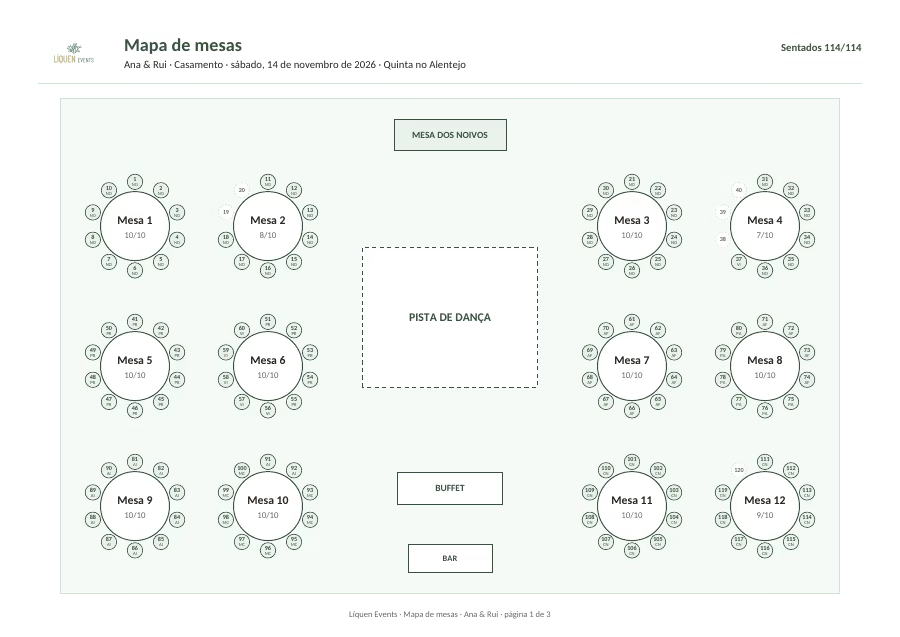
The seating plan starts from the guest list of the same event. You can seat people by hand, dragging them, or all at once, keeping groups together wherever possible. It prints the layout and the list for each table, and the screen and the PDF follow the same rules.
Outcome
What changed.
Enquiries from the website go straight into the list of enquiries, and the proposal is written from there. The calendar, the run sheet and the seating plan all read the same record.
Measured by Palumen with Lighthouse, on mobile: the Líquen website scores 100 for accessibility, 100 for best practices and 100 for SEO. (22 October 2026)